
Magento 2 B2B Store Setup: A Complete Guide
Everything you need to launch a B2B Magento 2 store — company accounts, shared catalogs, quote workflows, quick order, and requisition lists.
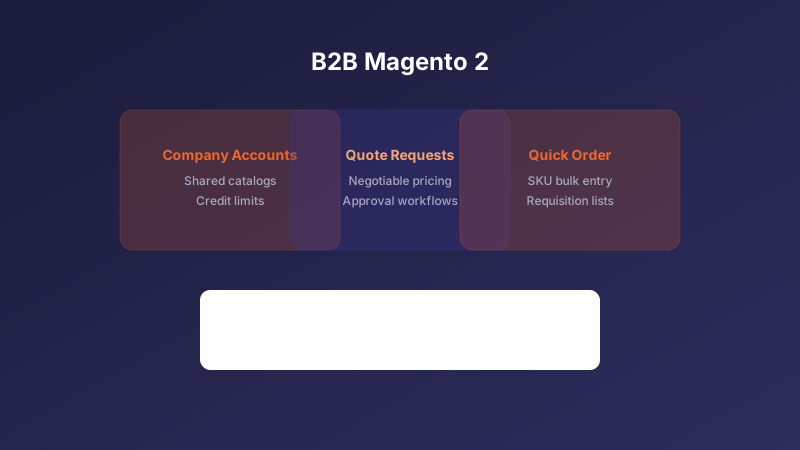
Enable Magento B2B Features
Magento 2 Commerce (Adobe Commerce) includes native B2B capabilities: company accounts, shared catalogs, negotiable quotes, and requisition lists. Start by enabling the B2B module and configuring your company registration workflow.
Decide whether new B2B customers self-register or require admin approval. Most industrial and wholesale merchants prefer an approval gate to verify tax IDs and credit terms before granting catalog access.
Configure Shared Catalogs and Pricing
Shared catalogs let you show different products and prices to different company tiers. Map your customer segments — distributors, resellers, end buyers — to dedicated catalogs with tier-specific pricing rules.
Integrate your ERP or CRM for real-time inventory and contract pricing where possible. Custom extensions can sync price lists nightly and apply customer-specific discounts at checkout automatically.
Streamline the B2B Buying Experience
Enable quick order by SKU and requisition lists so repeat buyers can reorder in seconds instead of browsing the full catalog. These features dramatically reduce friction for B2B customers placing frequent orders.
Build approval workflows for purchase orders above a threshold. Company admins can review and approve orders from sub-users before they are submitted — a common requirement in enterprise procurement.
Need help with your Magento 2 project?
Talk to Our Team